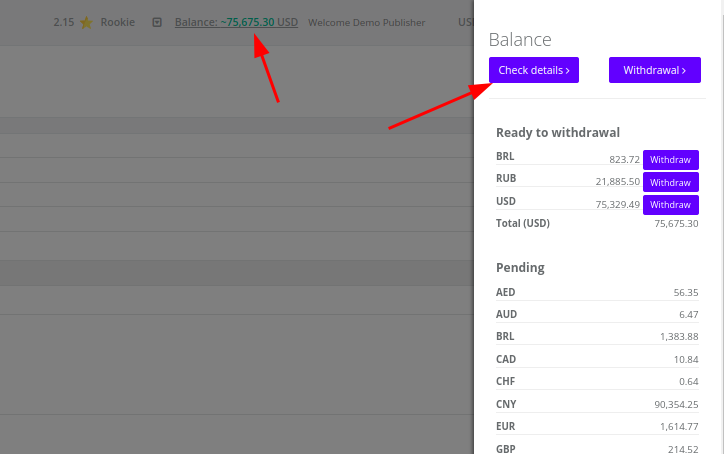
Click on the Balance in the top navigation bar and choose Check details:
You will see the list of conversion validation cycles and amount of payouts for each of them:
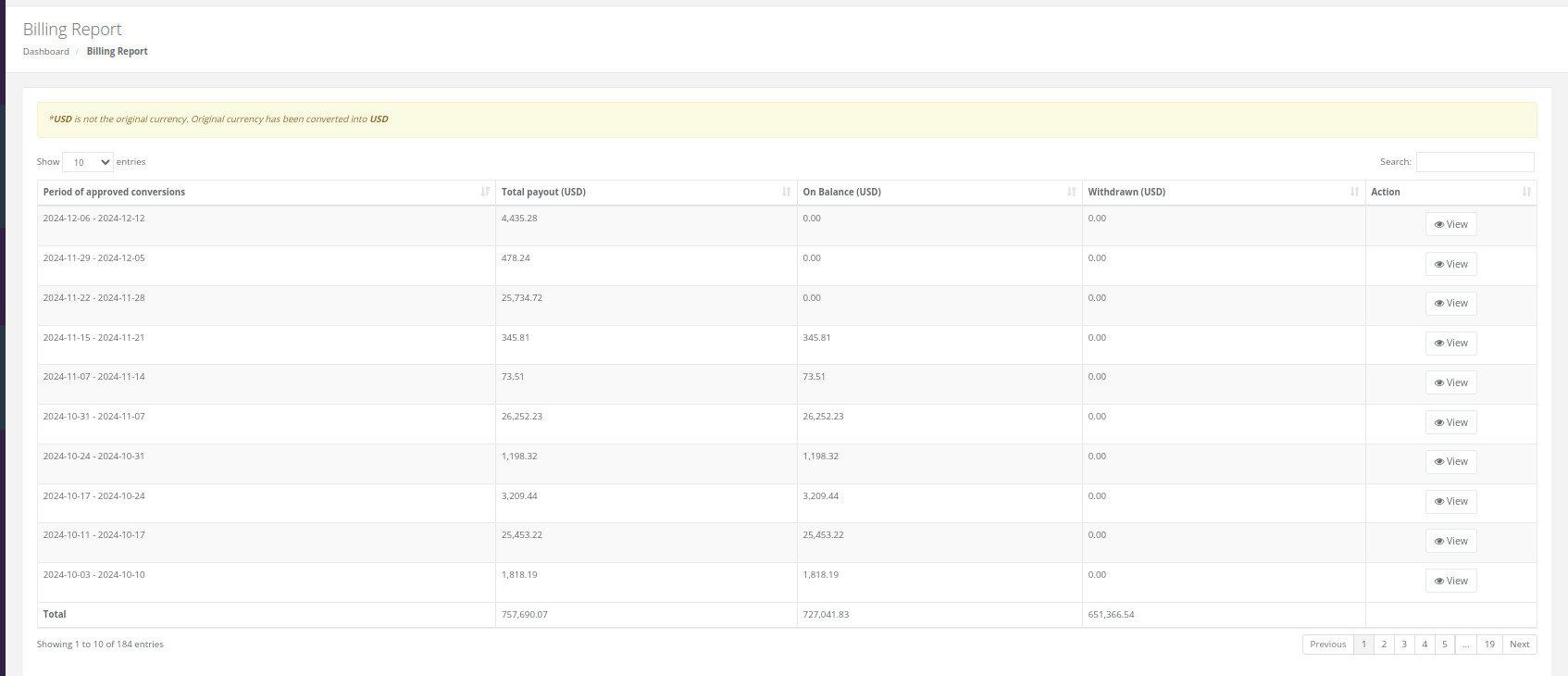
Click on View to see the details on the conversions for the particular period of time:

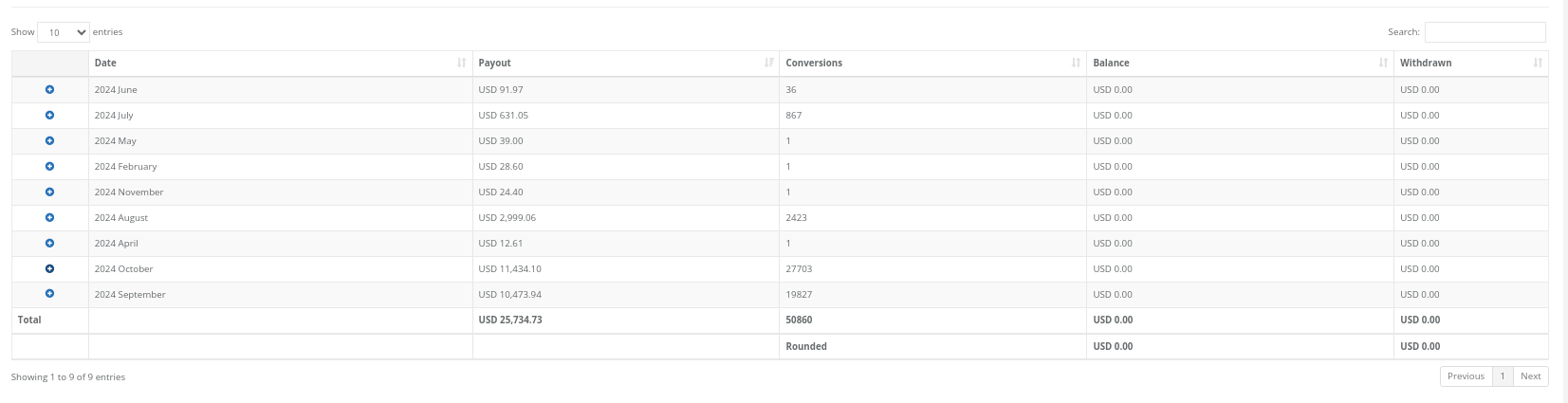
Here you can see the number of conversions and the amounts:
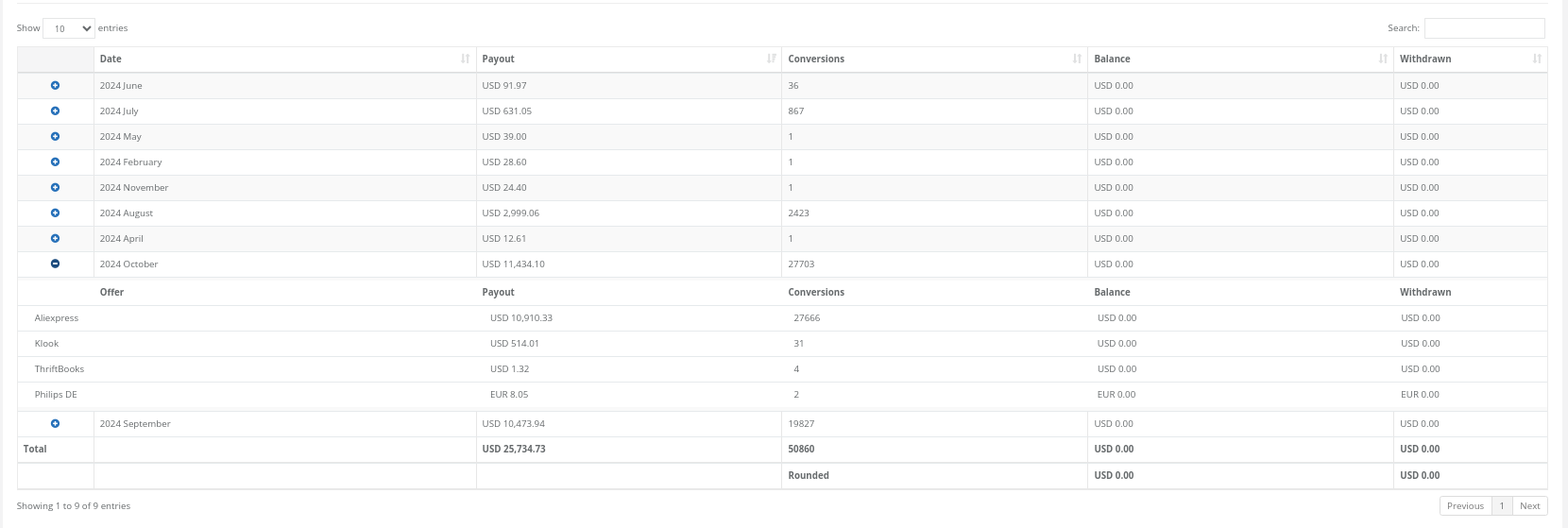
Click on (+) to check the offer:
Was this article helpful?
That’s Great!
Thank you for your feedback
Sorry! We couldn't be helpful
Thank you for your feedback
Feedback sent
We appreciate your effort and will try to fix the article