You can view the APPROXIMATE earnings amount in the top navigation bar.
Note: The earnings are displayed in the currency selected for your profile (USD by default), see

To view detailed information about balances and earned amounts, click on Balance in the top navigation bar. After clicking, a window will appear with detailed information for each Status broken down by currency.
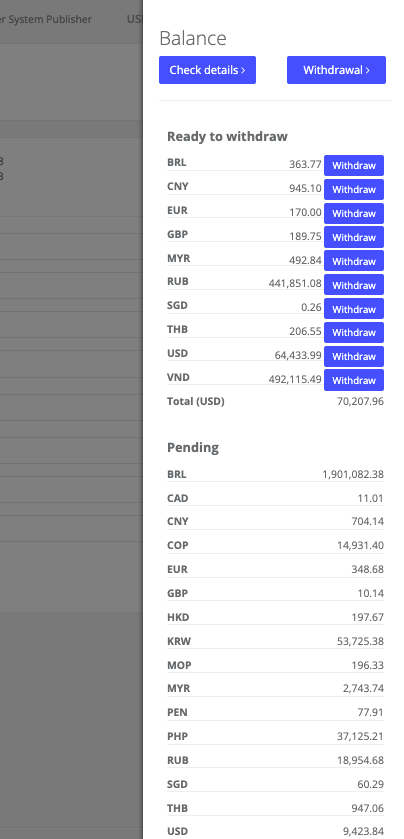
Ready to withdrawal: the amount of earnings which you can withdraw right now.
On Hold: the amount of earnings which is approved by the advertiser and which is soon to be added to “Ready to withdrawal”.
Approved: the amount pre-validated on the advertiser’s side and is most likely to be processed & paid soon.
Pending: the sum of earnings which is pending on advertiser’s side.
Bonus: money paid as a part of some specific promotional campaigns hold by Indoleads.
Referral commission: currently not available.
Was this article helpful?
That’s Great!
Thank you for your feedback
Sorry! We couldn't be helpful
Thank you for your feedback
Feedback sent
We appreciate your effort and will try to fix the article