Managing traffic sources
You can manage your traffic sources by clicking on My Sources:
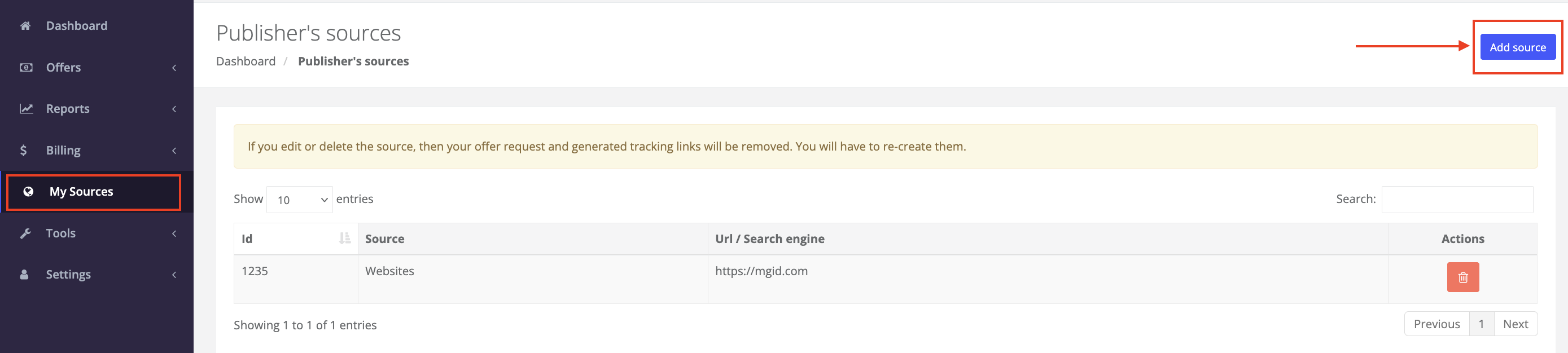
Here you can delete your traffic sources by clicking on the trash icon in the Actions column, or you can add new sources by clicking on Add source button in the upper right corner:
Adding a new source
Go to My Sources and click on the Add source button
Select a Type of source:
 Note: Based on the selection made, additional form field may be shown like:
Input field Link to source:

Enter the url of your source and click submit to add your new source.
Additional notes
Source url values must be unique. If the traffic source has been used by another account, you can prolong the link to re-use it. For example, https://abc.com is already used, so you can add https://abc.com/browse.
Keep in mind that if you delete the source, then your offer request and generated tracking links will be removed. You will have to re-create them for new traffic sources.


Was this article helpful?
That’s Great!
Thank you for your feedback
Sorry! We couldn't be helpful
Thank you for your feedback
Feedback sent
We appreciate your effort and will try to fix the article